There’s a new Sims 4 update available now in Origin. If you have automatic updates enabled in Origin’s “Application Settings”, the game will auto update once you open Origin. If you have auto updates disabled, you will need to manually update by clicking on the game in your library.
To ensure your game is up to date, check the game version found in Documents > Electronic Arts > The Sims 4 > GameVersion.txt. Your game should now read: Version 1.4.114.1010 (PC) / 1.4.114.1210 (Mac). If you have updated but it is not showing the correct game version, delete the GameVersion.txt file, restart the game, and all will be corrected.
Hey Simmers,
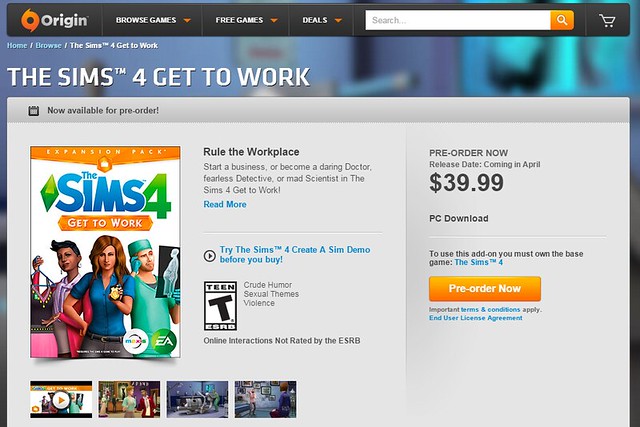
March is upon us, Get to Work is pushing against the door, and the color green shall soon reach a pinnacle of popularity, if only for a day. And we have an update ready to release.
It’s a small update that fixes a few crashes for Mac and PC that the community has helped us track down and reproduce. And a little bit of content.
What’s new? It’s St. Patrick’s Day or St. Paddy’s Day, (as I learned this week, it’s not St. Patty’s… who knew?)! Top off your Sim with a bit o’tha green by plopping on a new hat for your male and female Sims, found in Create a Sim. And a new gnome has joined us! Search for the Bare Essentials Gnome to adorn your abode.
Thank you all for the save files, feedback, and help we get in narrowing down issues, and improving on The Sims 4 experience for everyone!
Crash / Performance (General)
We fixed a ‘failed to load object’ error that was returning the player to the neighborhood map when attempting to load into a lot.
This error was the result of an invalid fallback being called when we ran into a load error. Essentially, if we were looking for a sofa and we couldn’t find the sofa, we would say “Hey, there is no sofa” and kick the request back. Which would then say “But I need a sofa.” And this would go back and forth until finally someone would just give up, storm off angry, and say “Fine, if there is no sofa, there is no game, and you can forget about dinner, cuddling, and now we are going to go visit my mother, and yes, you ARE coming with me!”
Players who have Nvidia GTX 960, 970, or 980 video cards should no longer get the “Unrecognized Video Card” error upon launching the game.
We fixed a crash that could occur on load due to “lot caching,” which was fixed… by removing the cache. Au revoir.
We fixed an issue that could lead to an infinite load when travelling that was due to certain world objects (trees, rocks, or similar) failing to load. Rather than hanging, we now just advance the load.
And by advance the load, it is meant that we step over the request, and move on to the next. Like when you are reading your daughter’s Christmas wish list, and you just ignore the “pony” and “little brother” line items.
Fixed an issue where browsing the gallery could lead to a crash.
We fixed a few crashes that were affecting some users on both Mac and PC… yea, that’s pretty generic. To be specific, we fixed crash category 0xd12c29, 0x4518fe, 0xb72d33, and 0x34bc94. Maybe that was too specific? I’m not sure I can do better in this case, um… we fixed a Graphics::Texture, Pathplanner:containsFast, FamilyManager, and SetNotificationFunction crash. Totally not helpful. Let’s just go with “Mac and PC are now more stable as a result of these fixes.”
Crash / Performance (Mac)
Fixed an issue that was preventing the game from launching, and display an “Unable to start, initialization” error if the players save file had lots of custom content installed due to a file handle issue on OSX. This fix should allow you to comfortably have approximately ~1000 pieces of custom content as opposed to 20 which was the case previously.
Fixed a crash that was the result of using a mouse with more than 5 buttons. It is once again safe to use these mice! It should be noted however, that no mice were harmed in the testing of our fix, all mice were handled with the utmost care, treated with respect, and held for only the shortest amount of time, before we released them once again to live amongst their own kind. Not that we are against mice and human cohabitation, only that without understanding the desire of the mouse, it can only be considered inhumane to force the mice to remain in our environment.
We fixed a texture loading issue that was causing some systems to have Sims appear without texture upon loading into Create-a-Sim.
Interface (Mac)
It is now possible to change the refresh rate in the Game Options, Graphics tab.
If you launched the game in fullscreen and then exit fullscreen, the yellow minimize button was disappearing upon exiting fullscreen. As a side note, if you are aware of the official name for the “yellow minimize button,” that would be great, because our bug report referred to it as “the yellow minimize button in the top left of the window” and I have to wonder if it has a simpler name, like the minimize button or maybe they just call it Bob. Click on Bob to minimize. Did you click Bob? Have you seen Bob? He minimizes things for you. Takes away your cares, shrinks them away… Bob.
If you launched the game in fullscreen and then exit fullscreen, the green fullscreen button was disappearing upon exiting fullscreen. As a side note, if you are aware of the official name for the “green fullscreen button,” that would be great, because… didn’t I already write this note? So, yea… Bob Junior. Okay, this is just weird. Why do I have 2 bug reports about 2 buttons that are right next to each other in screen space? They’re fixed now, Bob and Bob Jr.
You should no longer be able to edge scroll while the options menu is open.
Much appreciation and admiration,
-SimGuruGnome
To ensure your game is up to date, check the game version found in Documents > Electronic Arts > The Sims 4 > GameVersion.txt. Your game should now read: Version 1.4.114.1010 (PC) / 1.4.114.1210 (Mac). If you have updated but it is not showing the correct game version, delete the GameVersion.txt file, restart the game, and all will be corrected.
Remove all MODS and Custom Content before updating your game
Update: 03/10/2015 – PC Version 1.4.114.1010 / Mac Version 1.4.114.1210
March is upon us, Get to Work is pushing against the door, and the color green shall soon reach a pinnacle of popularity, if only for a day. And we have an update ready to release.
It’s a small update that fixes a few crashes for Mac and PC that the community has helped us track down and reproduce. And a little bit of content.
What’s new? It’s St. Patrick’s Day or St. Paddy’s Day, (as I learned this week, it’s not St. Patty’s… who knew?)! Top off your Sim with a bit o’tha green by plopping on a new hat for your male and female Sims, found in Create a Sim. And a new gnome has joined us! Search for the Bare Essentials Gnome to adorn your abode.
Thank you all for the save files, feedback, and help we get in narrowing down issues, and improving on The Sims 4 experience for everyone!
Crash / Performance (General)
We fixed a ‘failed to load object’ error that was returning the player to the neighborhood map when attempting to load into a lot.
This error was the result of an invalid fallback being called when we ran into a load error. Essentially, if we were looking for a sofa and we couldn’t find the sofa, we would say “Hey, there is no sofa” and kick the request back. Which would then say “But I need a sofa.” And this would go back and forth until finally someone would just give up, storm off angry, and say “Fine, if there is no sofa, there is no game, and you can forget about dinner, cuddling, and now we are going to go visit my mother, and yes, you ARE coming with me!”
Players who have Nvidia GTX 960, 970, or 980 video cards should no longer get the “Unrecognized Video Card” error upon launching the game.
We fixed a crash that could occur on load due to “lot caching,” which was fixed… by removing the cache. Au revoir.
We fixed an issue that could lead to an infinite load when travelling that was due to certain world objects (trees, rocks, or similar) failing to load. Rather than hanging, we now just advance the load.
And by advance the load, it is meant that we step over the request, and move on to the next. Like when you are reading your daughter’s Christmas wish list, and you just ignore the “pony” and “little brother” line items.
Fixed an issue where browsing the gallery could lead to a crash.
We fixed a few crashes that were affecting some users on both Mac and PC… yea, that’s pretty generic. To be specific, we fixed crash category 0xd12c29, 0x4518fe, 0xb72d33, and 0x34bc94. Maybe that was too specific? I’m not sure I can do better in this case, um… we fixed a Graphics::Texture, Pathplanner:containsFast, FamilyManager, and SetNotificationFunction crash. Totally not helpful. Let’s just go with “Mac and PC are now more stable as a result of these fixes.”
Crash / Performance (Mac)
Fixed an issue that was preventing the game from launching, and display an “Unable to start, initialization” error if the players save file had lots of custom content installed due to a file handle issue on OSX. This fix should allow you to comfortably have approximately ~1000 pieces of custom content as opposed to 20 which was the case previously.
Fixed a crash that was the result of using a mouse with more than 5 buttons. It is once again safe to use these mice! It should be noted however, that no mice were harmed in the testing of our fix, all mice were handled with the utmost care, treated with respect, and held for only the shortest amount of time, before we released them once again to live amongst their own kind. Not that we are against mice and human cohabitation, only that without understanding the desire of the mouse, it can only be considered inhumane to force the mice to remain in our environment.
We fixed a texture loading issue that was causing some systems to have Sims appear without texture upon loading into Create-a-Sim.
Interface (Mac)
It is now possible to change the refresh rate in the Game Options, Graphics tab.
If you launched the game in fullscreen and then exit fullscreen, the yellow minimize button was disappearing upon exiting fullscreen. As a side note, if you are aware of the official name for the “yellow minimize button,” that would be great, because our bug report referred to it as “the yellow minimize button in the top left of the window” and I have to wonder if it has a simpler name, like the minimize button or maybe they just call it Bob. Click on Bob to minimize. Did you click Bob? Have you seen Bob? He minimizes things for you. Takes away your cares, shrinks them away… Bob.
If you launched the game in fullscreen and then exit fullscreen, the green fullscreen button was disappearing upon exiting fullscreen. As a side note, if you are aware of the official name for the “green fullscreen button,” that would be great, because… didn’t I already write this note? So, yea… Bob Junior. Okay, this is just weird. Why do I have 2 bug reports about 2 buttons that are right next to each other in screen space? They’re fixed now, Bob and Bob Jr.
You should no longer be able to edge scroll while the options menu is open.
Much appreciation and admiration,
-SimGuruGnome